


Mystery Solved: Why Are My Emails Arriving Hours Later in Gmail?
Did an email from last Wednesday randomly reappear at the top of your inbox? We love time travel but haven't mastered it yet, so what's going on?
Mystery: An old email suddenly pops up at the top of your inbox, marked as 'Unread', making it look like a duplicate or a brand-new message when no one has replied, spooky 👻
The Gmail Solution
Don't worry, nothing has gone wrong in the background, and sadly you haven't gone back in time; it is simply the work of Snooze in Gmail.
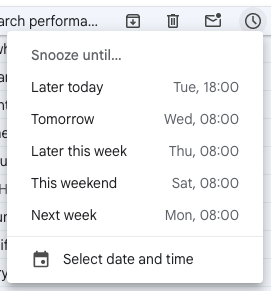
In Gmail, you can Snooze an email to deal with it later; this can be particularly useful if you use your inbox as a to-do list. Hitting Snooze temporarily hides it from your inbox view, and you can give it a specific date and time for when you would like it to return!
When the email does return, it will appear at the top of your inbox and show as unread.
To Snooze an email:
Step 1 - Open Gmail
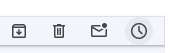
Step 2 - Hover over the email you would like to snooze and click the clock icon
Step 3 - You can then give it a date and time you would like it to pop up again.
Mystery 2: Where do Snoozed emails go?
The Gmail Solution
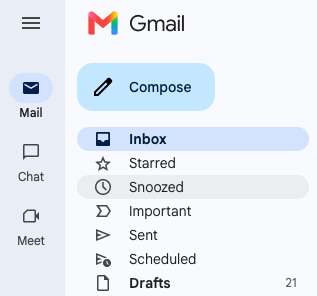
When an email is Snoozed, it doesn't disappear; it (temporarily) leaves your inbox and appears in the Snoozed Label, as shown below.
To retrieve the email:
Step 1 - Open Gmail and look at the left-hand side
Step 2 - Click on Snoozed (it has a small clock icon next to it).
Step 3 - Here, you will see a list of every email currently scheduled to return to your inbox.
Step 4 - You can click on the email or hover over the email and click 'Unsnooze'.
Mystery solved by the CloudShed team!
To learn more about Gmail or Google Workspace, book a live training session with Cloudshed.
Or Check out our On-Demand Training Courses.


